Craftory | Creative Projects App Design
This project focuses on designing a creative projects app for people who work on multiple creative projects at once and need a simple way to keep everything organized. It is meant for crafters that often juggle multiple traditional projects using scattered notes, photos, and memory.
Project Overview
This project focuses on designing a creative projects app for people who work on multiple creative projects at once and need a simple way to keep everything organized. They can track project details, materials, budgets, deadlines, phases, progress photos, and notes. It is especially useful when someone pauses a project and returns to it later, because they can quickly remember where they left off and what still needs to be done.
Researching, Ideating, Interaction Design, UI DesignJune - August 2026
Figma, Procreate
RoleTimeframe
Tools
Project Problem
People who work on creative projects often manage several projects at once, but their project information is scattered across different apps and physical spaces (notebooks, journals). This makes it easy to lose track of deadlines, materials, notes, progress, inspiration, and client feedback.
User Research
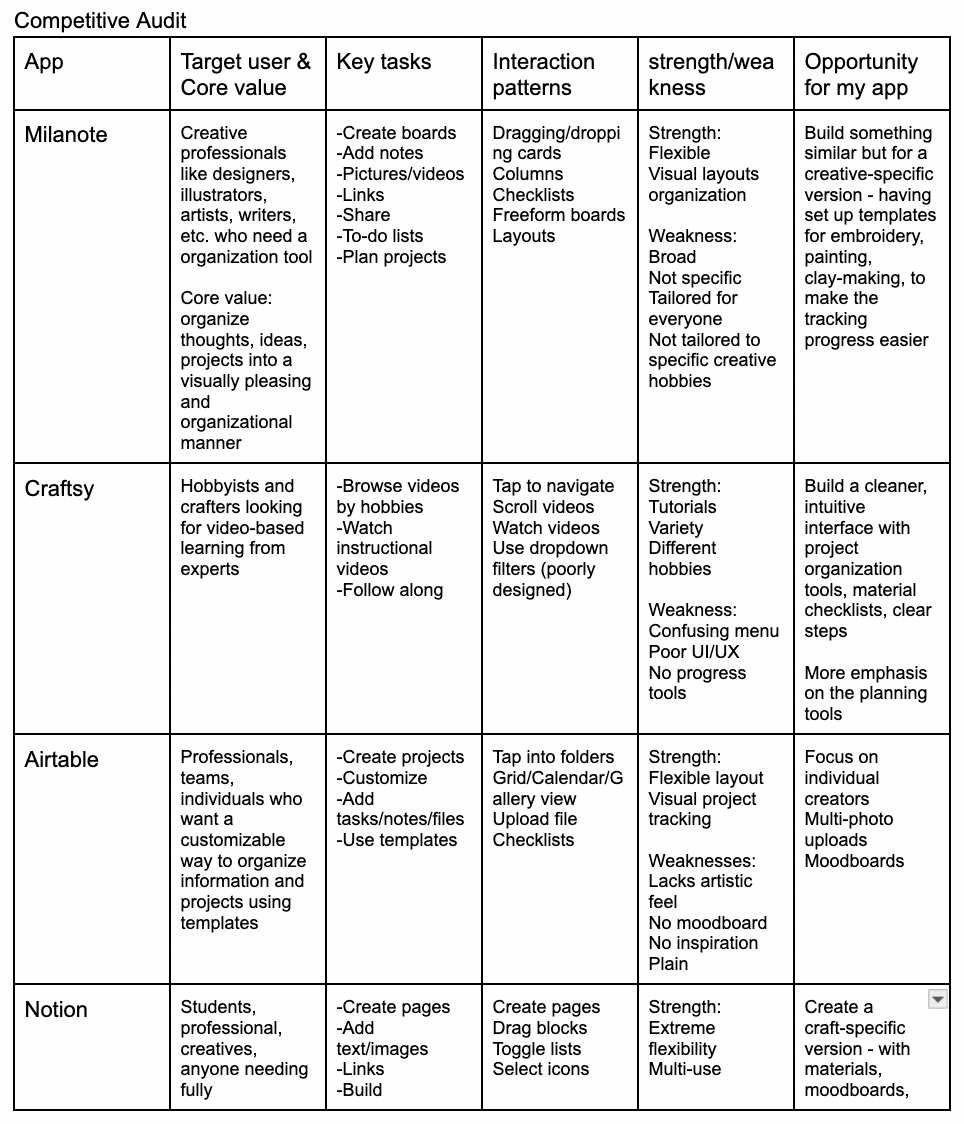
I analyzed existing project logging apps to understand how these apps support creatives and artists who work on multiple projects at once. I studied apps including Trello and Notion, their interface patterns and interaction design.
Through the analysis, I noticed that some apps were not consistent with their flows. Someone who may have multiple projects they are working on, they would want a consistent layout, with minimal errors. A place to post their projects, someway to edit them. Thumbnails to see all the projects in one place. Able to see the budget so that they can plan ahead how much money and time they want to spend on each project.
Key insights from research:
Minimize distractions. A clean, minimalist interface helps creatives stay focused on their projects.
Editable state must be simple. Project information should be quick and intuitive to add and edit
Prioritize important information. Users should be able to quickly understand the most important details of a project, such as its status, budget, and timeline.
Organize projects into phases. Breaking each project into distinct phases created a clear structure for organizing information and tracking progress.
Project Solution
The solution focused on translating the research insights into a project-logging experience designed to reduce the effort required to document and manage creative projects. I developed wireframes that prioritized a minimalist layout, focused on core features and actions users needed most.
The Projects section is where users can add and manage their projects in one main area. Each project provides an overview of key details, including materials used, budget, medium, and timeline. Users can also choose whether to keep a project private or make it public, creating flexibility around how they document and share their work. A community-driven collection of public projects is also planned to be introduced at a later time.
A core feature was introducing the phases portion of the app. Phases are used as a way to break a project into smaller, manageable stages. It is within the editable project screen that the user can then add phases. These individual phases can be customized. Each phase can contain descriptions, attachments, and dates, to document their process as they work rather than remembering details that could be forgotten easily.
Design Process
Competitive Audit
Ideation
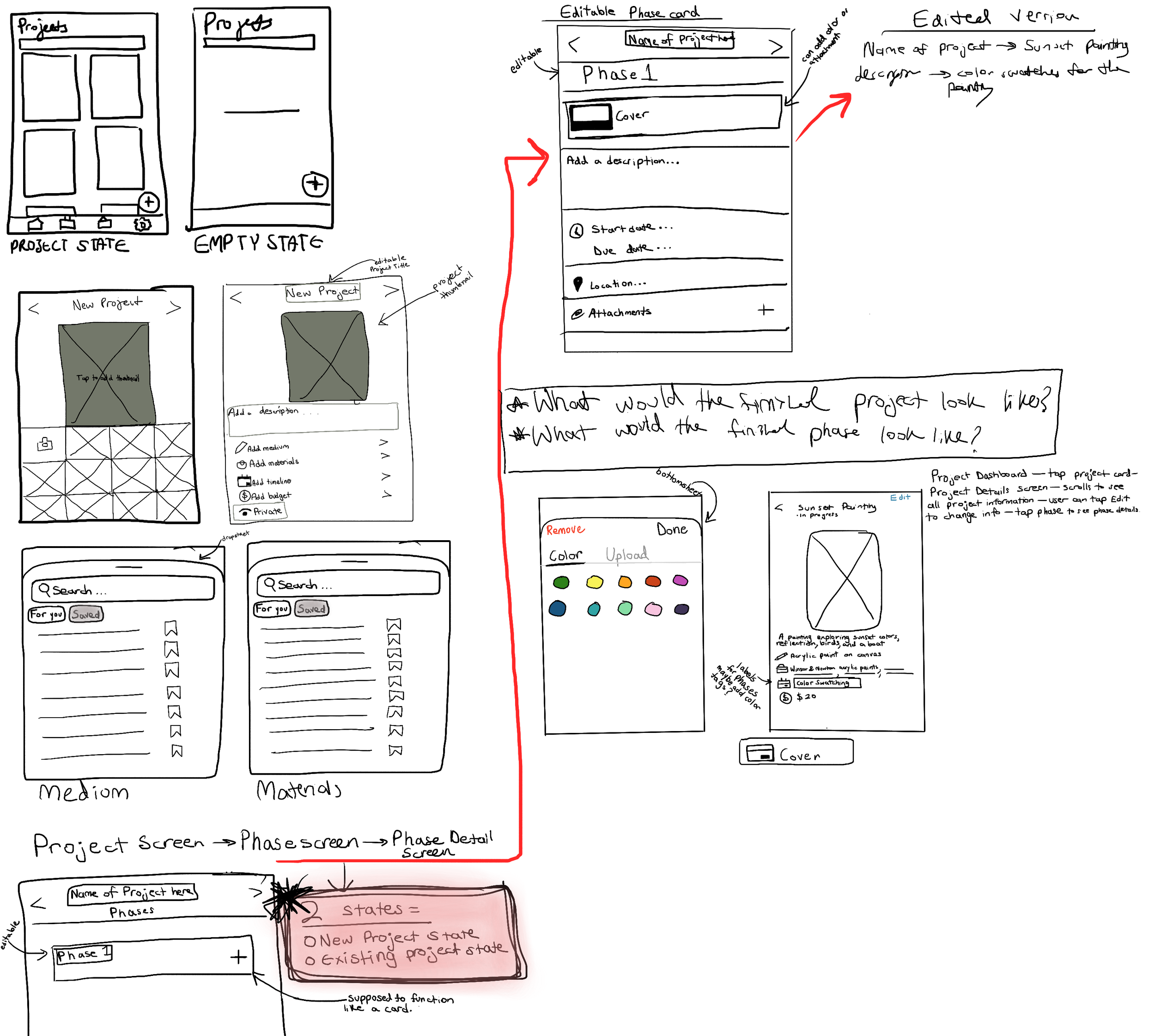
Through a competitive audit of project-logging apps, I brainstormed the main features that my app would utilize. This was translated into the ideation phase, drafting what those screens would look like.
These main features include:
Dashboard grid of projects
One-screen “Add project” with materials checklist and info to be written in
Project detail page with progress gallery (pictures) and reminders (calendar deadlines)
Calendar view for reminders and deadlines (color-coded dots)
Mood-board (public inspiration feed, look at finished projects)
Final Screens
Home Transition Screen
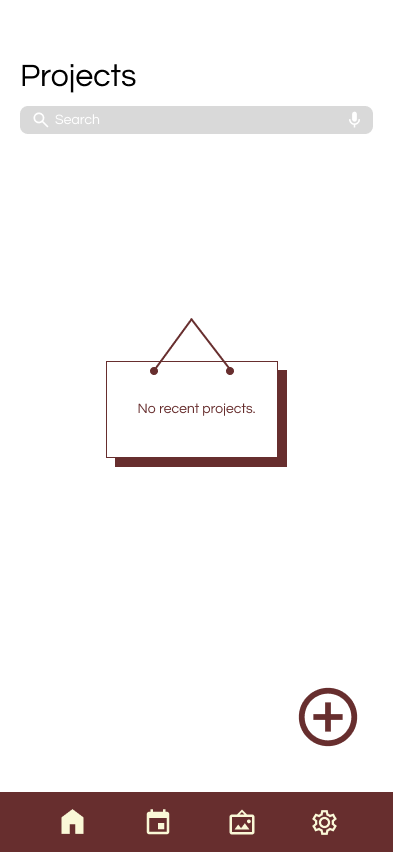
Empty State Home Screen
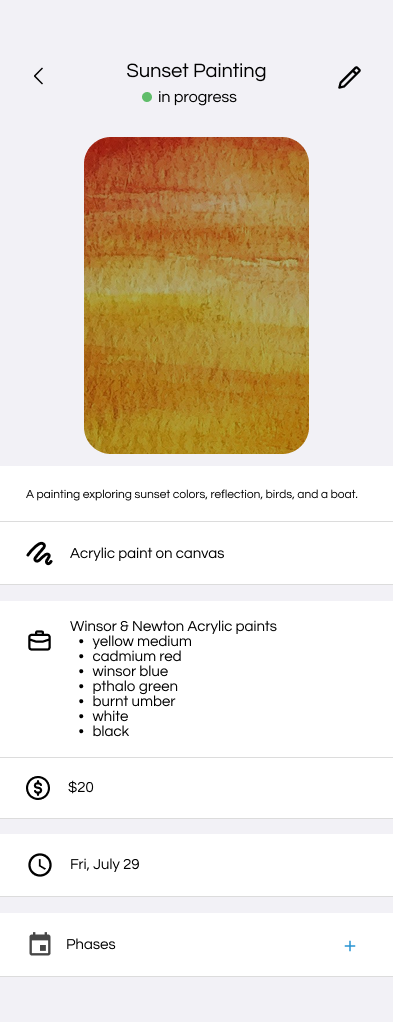
Add a Phase within Edited Project State
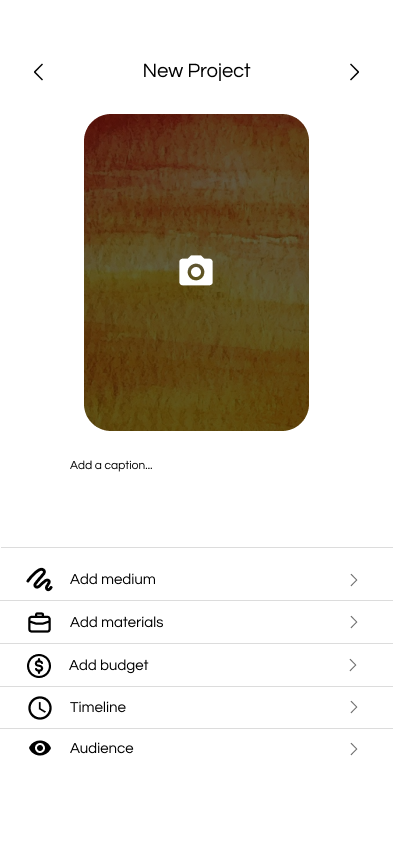
Editable Project State
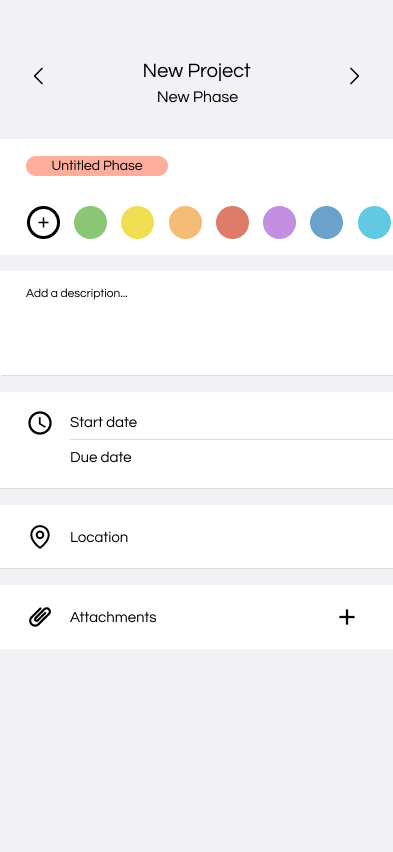
Adding New Phase
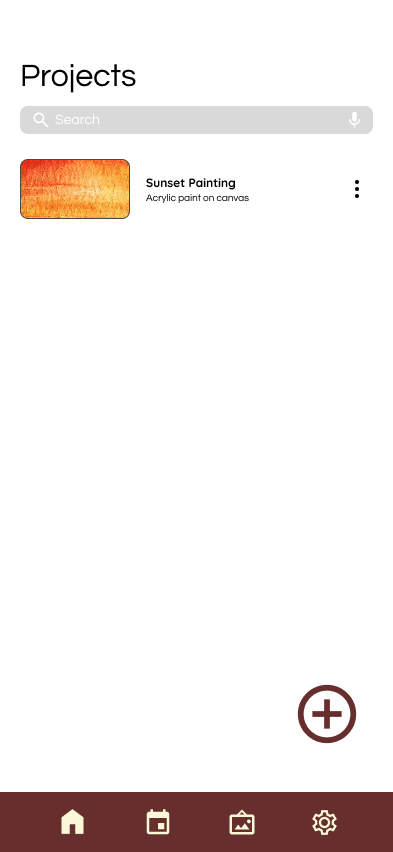
Project Thumbnail
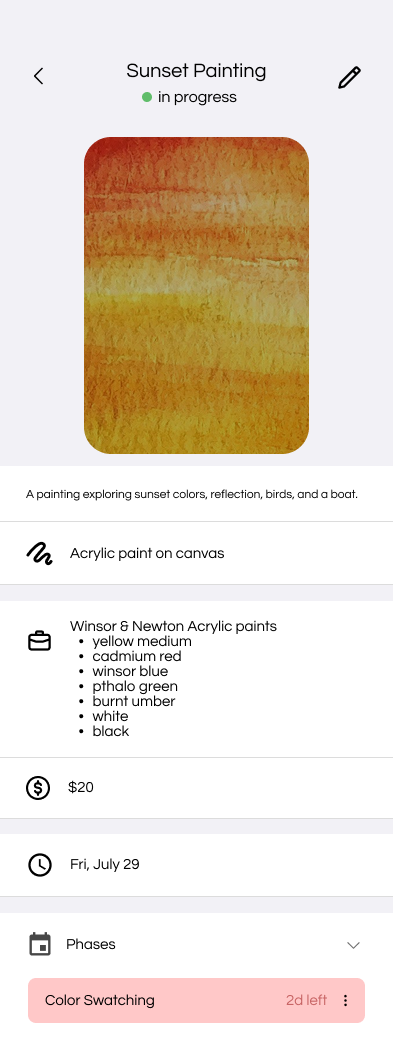
Tap for Existing Phases
Outcome
This project focused on creating a simple and intuitive way for users to document, organize, and manage their creative projects. By introducing project phases, the experience gives users a flexible way to capture the different stages of their process.
This project taught me how breaking down a complex experience into more intentional interactions can make a product feel more user-friendly.
Throughout this process, I learned the importance of testing ideas and continuously iterating on an experience, to make it feel natural and as easy to use as possible.